
Products · Prices · Buying guides
Sugargoo Spreadsheet
Find the product, compare its options, and plan the order from purchase to delivery.
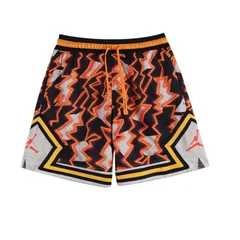
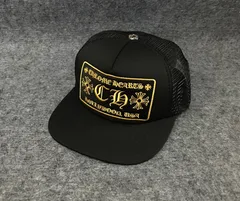
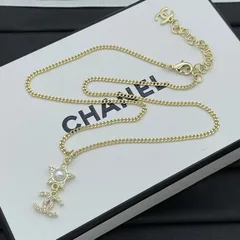
Browse product categories
What is Sugargoo, and how do you order?
Sugargoo is a purchasing and forwarding service for products from Chinese sellers. It helps organise buying, warehouse handling and the international parcel.
This independent spreadsheet brings together 2,429 product references, displayed USD prices and the corresponding Sugargoo purchase links. Use it to compare candidates; confirm the selected option and current charges on the platform before paying.
This is an independent product directory and buying guide. It is not the official Sugargoo website.
- Choose a product and its optionsUse the categories or search, then record the exact item, colour, size and quantity.
- Submit the order on SugargooOpen the product’s purchase link, confirm its options and the displayed charges, then pay the product order. Buying guide
- Review the warehouse QCCompare the received item with your saved selection. Resolve a discrepancy or request a useful view before sending it. QC guide
- Choose shipping and pay the freightSelect the items, packing and eligible route for your destination. Review the parcel quote and pay international shipping. Shipping guide
- Track the parcel and check deliveryFollow the carrier events and check the contents and condition when the parcel arrives. Tracking guide
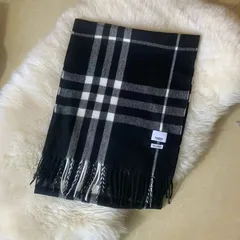 Scarves
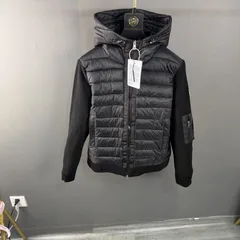 Down Jackets
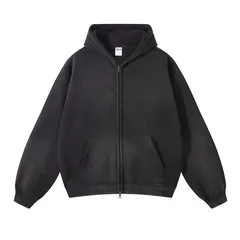 Jackets & Coats
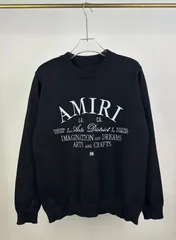 Sweaters
Use this site to explore products through the product catalog and learn how to handle the next shopping step. Sugargoo is the buying and shipping service discussed in these guides; this article collection does not operate your Sugargoo account or take payment for a parcel. Product buttons open the catalog, while the guides stay here for reference.
Find something that fits the way you shop
Suppose you want trousers to wear with a pair of shoes you already own. A photograph can help you choose a shape, but the decision may depend on the leg opening or inseam. Save those questions with the item instead of adding five nearly identical pictures and hoping to remember the difference later.
What belongs in your Sugargoo sheet
Keep a short product name, its destination link and the selected colour or size together. Add the amount you observed with its currency, then record any measurement or included-piece detail that matters. If the product has not been checked recently, reopen it before treating the old information as current.
Choose the next guide by the question you have
For more specific questions, read Reddit spreadsheet recommendations section, service reviews section, the legitimacy guide and link conversion. Before a relevant payment or parcel decision, check coupon conditions, payment methods, unclear payment outcomes section and parcel-protection questions.
What a useful spreadsheet entry contains
Give the collection a practical test
For trousers, useful information might include the rise, inseam and leg opening, with a clear measurement method. A size letter on its own does not answer those questions. The collection does not need to reproduce every listing detail, but it should not replace missing information with a confident fit promise.
Make cheap comparisons comparable
Consider an illustrative pair of offers: one shows 90 CNY for an item, while another shows 102 CNY including a specified 12 CNY charge. Their item amounts would be the same in this example. Neither figure, by itself, tells you the final cost of sending your parcel abroad.
Keep the product amount, stated extra charges and later parcel estimate separate. Use the same option and quantity when comparing. If one row includes a belt and another does not, the lower number may describe a different purchase rather than a better deal.
Decide whether you can maintain it
An attractive sheet becomes frustrating if you cannot find a saved item on your phone or tell which note belongs to which option. Try filtering, reopening a destination and adding your own short comment. Keep the item name and link close enough that sorting does not separate them.
A small, comparable shortlist
Keep the product name, source link, selected option, observed amount and currency together. Add the measurement or included-piece question that is stopping you from deciding.
Is Excel the best spreadsheet for this task
That feature does not make Excel automatically best for every buyer. Try the simple task that matters to you: add a product, change its option note and reopen the destination on the device you use for shopping. Do not choose a more complicated workbook solely because it looks comprehensive.
Use plain structure before adding formulas
Keep amounts numeric and currencies explicit. If you compare costs across currencies, record the conversion basis separately rather than replacing the original value. An empty shipping field means you have not recorded the cost; it should not silently become a zero-cost delivery claim.
Add a short status note that describes your decision, such as which measurement still needs checking. Do not put passwords, payment documents or private delivery information into a shared product sheet.
Turn a find into a usable product record
Describe the find in ordinary product terms
If you want relaxed trousers, identify the shape, length and features that matter rather than saving every image with a similar colour. For a top, you might care about its neckline, sleeve length or whether it will sit comfortably under a jacket. For an accessory, the useful questions may concern dimensions and closure.
Turn style labels into details you can compare
An old-money spreadsheet might suggest understated knitwear, polos, trousers and accessories, but the label does not identify a fabric or guarantee construction quality. Translate the look into concrete preferences: a less prominent graphic, a certain collar shape or a trouser opening that works with your shoes.
This applies across clothing, footwear and accessories. Do not let a broad style label replace the specific information needed for the item you plan to order.
Keep fewer candidates with better notes
Save the destination, option and one unresolved question beside each find. If two products appear interchangeable, look for the difference in measurements, quantity or included pieces. Remove a candidate when a confirmed detail fails an essential requirement, rather than retaining it only because the photograph is appealing.